iOS orientation handling
It's important that landscape apps not lock the screen rotation when rendering TapResearch. Landscape orientation within the TapResearch experience would result in degraded engagement and revenue performance. By contrast, apps that allow rotation to portrait mode for TapResearch screens typically achieve twice the earnings of apps that are locked in landscape. For the cross-platform guidance that applies to every SDK platform, see Screen Orientation.
Alternate orientation handling
If you are in a situation where enabling portrait for iPhone is not possible in Xcode's project settings you can use this alternate method for allowing portrait for the TapResearch iOS SDK. This assumes you are not using a SceneDelegate.
1. Set allowed orientations.
In the Xcode project editor's "General" tab set the required orientations in the "Deployment Info" secton.
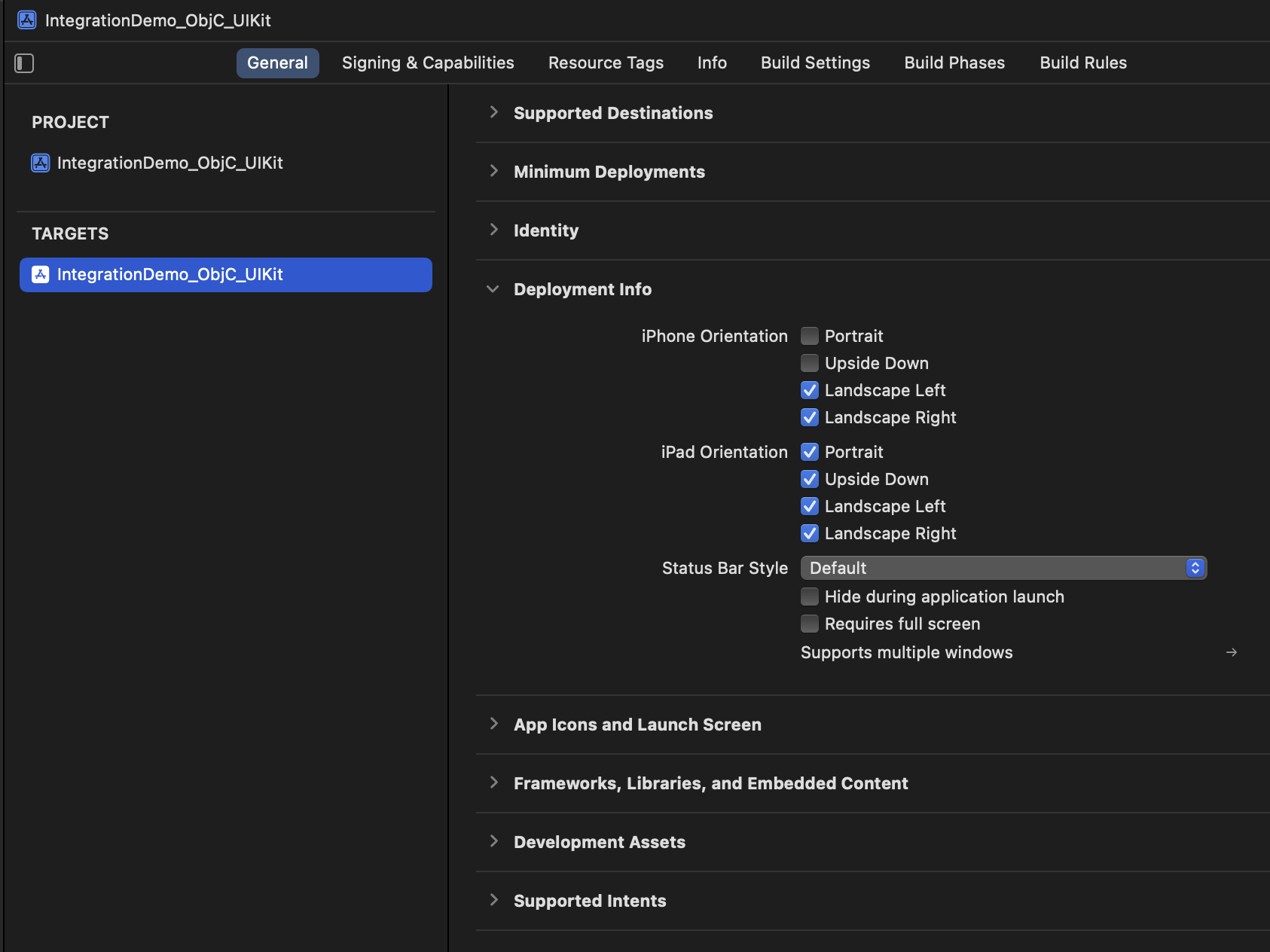
2. Add an iPhone check helper function.
We only need to make sure that portrait is available for iPhone, add this simple helper function to your AppDelegate:
- Objective C
- Swift
- (BOOL)isPhone {
  return (UI_USER_INTERFACE_IDIOM() == UIUserInterfaceIdiomPhone);
}
var isPhone: Bool {
    return UIDevice.current.userInterfaceIdiom == .phone
}
3. Add supported orientation function to AppDelegate
3.1. Add a boolean flag for allowing orientations
Add a boolean property to AppDelegate:
- Objective C
- Swift
@property (nonatomic, assign) BOOL allowAllOrientations;
var allowAllOrientations: Bool = false
3.2. Set boolean to NO/false
If using Objective-C, inside application:didFinishLaunchingWithOptions: as soon as the function is entered set the boolean to NO. If using Swift make this part of the variable definition (as seen in 3.1 above).
3.3. Add supported orientations function to AppDelegate
If you are using a SceneDelegate this function is ignored.
- Objective C
- Swift
- (UIInterfaceOrientationMask)application:(UIApplication *)application
  supportedInterfaceOrientationsForWindow:(UIWindow *)window
{
    if ([self isPhone]) {
        if (self.allowAllOrientations) {
            // App supports all except upside-down
            return UIInterfaceOrientationMaskAllButUpsideDown;
        } else {
            // Initial launch screen supports only Landscape
            return UIInterfaceOrientationMaskLandscape;
        }
    }
    else {
        // iPad
        return UIInterfaceOrientationMaskAll;
    }
}
func application(_ application: UIApplication,
                supportedInterfaceOrientationsFor window: UIWindow?)
-> UIInterfaceOrientationMask
{
    if isPhone {
        if allowAllOrientations {
            return [.allButUpsideDown]
        } else {
            return [.landscape]
        }
    }
    else {
        // iPad
        return [.all]
    }
}
3.4. Set boolean flag to YES
When you are ready to allow portrait set the boolean to YES (or true in Swift).
4. LaunchScreen.storyboard
If you are using a LaunchScreen.storyboard make sure it is a basic UIViewController without any outlet connections, no view controller subclass is needed for this.
5. Using SceneDelegate
If you are using a SceneDelegate the AppDelegate's application:supportedInterfaceOrientationsForWindow: is ignored and you will need to return supported orientations use per view controller:
- Objective C
- Swift
- (UIInterfaceOrientationMask)supportedInterfaceOrientations {
    // For example:
    return UIInterfaceOrientationMaskLandscape;
}
override var supportedInterfaceOrientations: UIInterfaceOrientationMask {
    // For example:
    return .landscape
}
You can do this globally and just let your root view controller report available orientations.